Live application preview
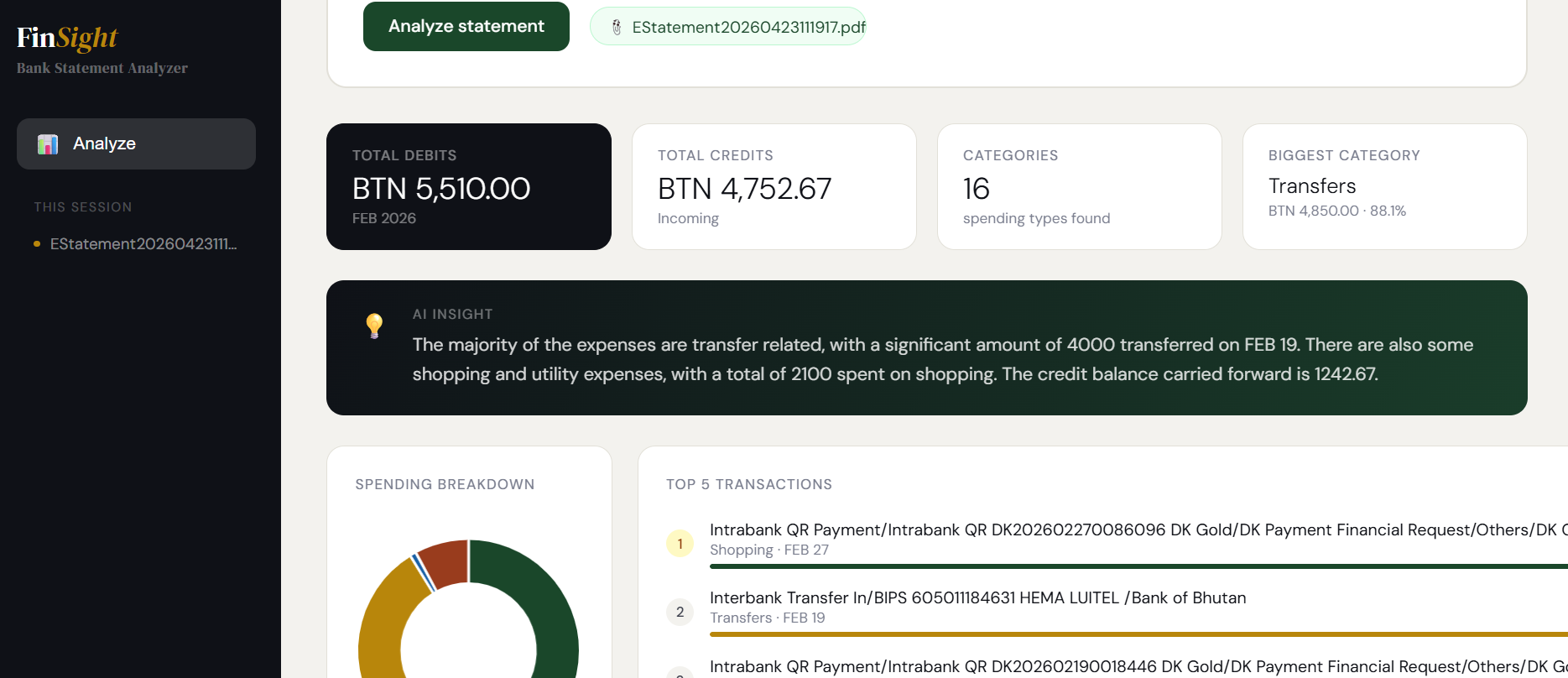
A real analysis of a Bhutanese bank statement: Feb 2026
About FinSight
What it is, who it's for, and why it was built
FinSight is an AI-powered bank statement analyzer designed to take the manual work out of understanding your finances. Instead of scrolling through dozens of transactions and guessing where your money went, you simply upload your bank statement PDF and let FinSight do the work.
Built with Bhutanese banking in mind and tested on real BoB and DK Bank e-statements: It recognises local transaction formats, merchant names, and payment patterns. The AI engine then maps every debit to a meaningful expense category automatically.
Built for Digital Bhutan
Designed with Bhutanese youth in mind: track contributions, food expenses, and personal spending without complicated spreadsheets.
Useful for everyone
Anyone with a Bhutanese bank account can upload their bank statement and get a clear financial picture instantly.
Session-based privacy
Your statement is processed for the current session only. No data is stored permanently – your financial details stay yours.
Bhutan-first design
Supports BTN (Ngultrum) currency and local bank formats (BoB, DK Bank, BNB, etc).
How it works
Three simple steps from upload to insight
Upload your bank statement
Download your e-statement PDF from your bank's internet banking portal (BoB, BNB, BDBL, DK Bank, T Bank, or Druk PNB all work). Then drag and drop, or click to upload directly into FinSight. No account creation required.
PDF upload · No sign-up neededAI reads and categorises every transaction
The moment your statement uploads, FinSight's AI engine parses every transaction line: debits, credits, dates, merchant names – and automatically assigns each debit to an expense category. Categories include Shopping, Transfers, Food & Drinks, Utilities, Transport, Education, and more. The AI learns from transaction descriptions and patterns to make categorisation accurate even for unusual entries.
AI-powered · Instant categorization · 16+ category typesGet your full financial snapshot
Your results appear immediately: total debits and credits, number of spending categories found, biggest spending category, top 5 transactions by amount, a spending breakdown donut chart and bar chart, and a plain-English AI insight summarising your month's financial behaviour.
Dashboard · Charts · AI insight · Top transactions